Research Project 
On this page you will find material relating to the Portfolio Research Project the Learners Instructions and marking criteria. There are also step by step instructions, prompts and tips to get you started and guide you along the way. Further down the page you will find a Coursework Project Template that you can use to write your project.
 

Important Presentations will be animated which means that when you open up the presentations you click Slide Show .... then  ... From Beginning. With the animation you can also attempt questions before viewing the solutions and answers.

Opposite you will find the presentations that were shown today, overview and coursework project assignment. 

To print on campus please click this link for more information. 

WMF ph 6 intro Term 2 2024_25.pdf WMF ph 6 intro Term 2 2024_25.pdf
Size : 856.811 Kb
Type : pdf

Researching on the web 

Opposite you will find some material on researching online follow the links within to watch the different videos and visit the suggested sites. Don't forget to assess the site, see below!

EvaluatingInternetSources.pdf EvaluatingInternetSources.pdf
Size : 397.711 Kb
Type : pdf
1 Researching on the web WMF 2023.pptx 1 Researching on the web WMF 2023.pptx
Size : 946.355 Kb
Type : pptx
1 Researching on the web WMF 2023.pdf 1 Researching on the web WMF 2023.pdf
Size : 378.692 Kb
Type : pdf

Important Presentations will be animated which means that when you open up the presentations you click Slide Show .... then  ... From Beginning. 

2 Tips for web search WMF 2022.pptx 2 Tips for web search WMF 2022.pptx
Size : 5239.421 Kb
Type : pptx
The overview asks some questions that you can use to help guide you in your research.

1 WMF PH 6 CW1 Overview 2026.pptx 1 WMF PH 6 CW1 Overview 2026.pptx
Size : 82.636 Kb
Type : pptx
Remember when watching videos in YouTube you can increase the screen size and turn on Closed Captions. Alternatively, you can watch straight from this website. 

Tips for effective searching 3.05mins

How to google like a pro 5.41mins 

Sketching 

Some notes opposite on sketching remember that you may be required to provide sketches for your project work. You will be required to provide sketches for your theory exam. 

3 Sketching WMF 2022.pdf 3 Sketching WMF 2022.pdf
Size : 1032.845 Kb
Type : pdf
Library 

Located in main building Bolton Street directly above the canteen area.

Click link below and search by topic.

Library Catalogue

Write down the book code and title or take a screen shot.

If you can't find a book, ask one of the Librarians they don't bite! They are lovely people and are always delighted to help. They especially like the challenge of finding books on the WMF topic list. 

Layout of your report  

Below you will find the presentations that were shown today Coursework overview and tips and coursework report work. Once you have gathered all your research together you can start to write up the report. Look at examples of work form other students. 

Important 

Have a look at General Feedback before sending your Draft Report. Make sure that your report is in the template and that the name of the report is CW1 Your Name before sending. 

1 WMF PH 6 CW1 Overview 2025.pdf 1 WMF PH 6 CW1 Overview 2025.pdf
Size : 397.602 Kb
Type : pdf
2 WMF Report Work Refercencing 2024.pdf 2 WMF Report Work Refercencing 2024.pdf
Size : 1161.765 Kb
Type : pdf
Across is general feedback please read and compare to your own report to see if you have any of these faults before submitting for feedback. 
4 WMF Report Work General Feedback Oct 2026.pdf 4 WMF Report Work General Feedback Oct 2026.pdf
Size : 2306.358 Kb
Type : pdf
See file opposite for step by step instructions on how to attach  a Hyperlink to a word. 
Also included are instructions on inserting a text box. 


Attaching a Hyperlink to a word.pdf Attaching a Hyperlink to a word.pdf
Size : 384.667 Kb
Type : pdf
Coursework Marking Assessment Sheet 
WMF PH 6 CW1 Assesment Sheet 2024.pdf WMF PH 6 CW1 Assesment Sheet 2024.pdf
Size : 202.398 Kb
Type : pdf

Research Project Getting started on the layout. 

You should spend some time searching for material and gathering your research together. Keep all of this together in the one folder. 

Think about your layout, what do you want to share about your research, what did you find interesting? Sometimes it is best to write down certain keywords or sentences before you start writing the report this will help you at a later stage. 

Below are some useful resources for creating a Word Document, I will go though creating PowerPoint presentations in a couple of weeks. There is also a copy of the Coursework Project Template to get you started. Download it, open it click file, save as or save a copy then type in "CW1Yourname" so I would call the file CW1JenniferByrne if everyone calls their file Coursework Project then the PC will only save the latest version and work will get lost. 

Word Doc. Template 
Download the file opposite, open it, click file, save as or save a copy then type in "CW1Yourname"    CW1PatShortt 
Attach this new file to an email and send it it me.
Save your progress by emailing your report to yourself. Save your report in your one drive not on the desktop of the PC.

Phase 6 Coursework Template 2026.docx Phase 6 Coursework Template 2026.docx
Size : 1010.617 Kb
Type : docx
Examples from Other Students 

Below are some examples written by students from the full-time programme Timber Product Technology 2000 word research report on a designer. Look at the introductions, layout and referencing. 
CW 3 Brian O Shea Michael Thonet.pdf CW 3 Brian O Shea Michael Thonet.pdf
Size : 626.012 Kb
Type : pdf
CW3 Daniel Cash George Nakishima.pdf CW3 Daniel Cash George Nakishima.pdf
Size : 670.276 Kb
Type : pdf
CW3 Killian Denys Gustav Stickley.pdf CW3 Killian Denys Gustav Stickley.pdf
Size : 850.981 Kb
Type : pdf
CW3 Kresimir Stefko  James Krenov.pdf CW3 Kresimir Stefko James Krenov.pdf
Size : 759.77 Kb
Type : pdf

Microsoft official Academic Course 2016

TUD Word 2016.pdf TUD Word 2016.pdf
Size : 8141.418 Kb
Type : pdf
how to lay out an assignment Word 2010.pdf how to lay out an assignment Word 2010.pdf
Size : 750.721 Kb
Type : pdf
 
 
Referencing

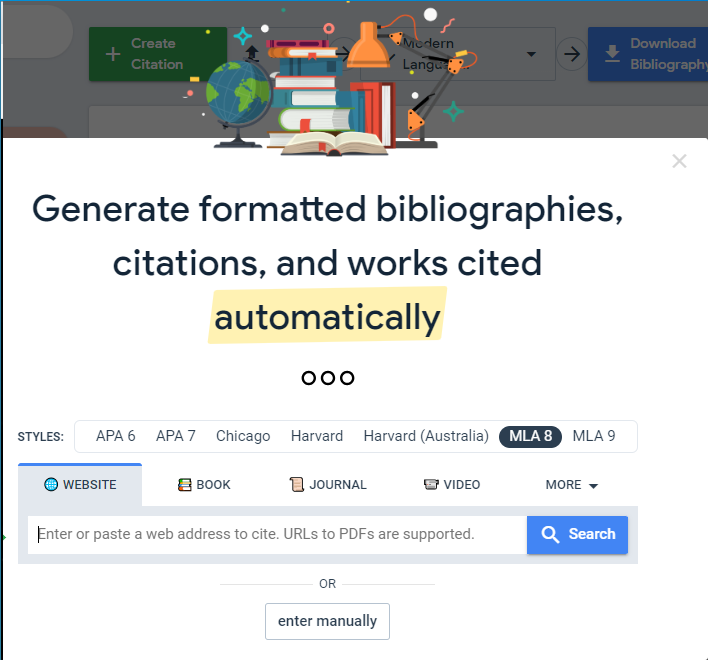
I will include a link to MyBib.com here for your convenience as this site will prove very valuable when writing up your report. Please use Harvard style for referencing.

Another great resource is Grammarly you can add it to Chrome and use it in many applications as shown below.

Free ebooks - Project Gutenberg

Go to this website by clicking Project Gutenberg above. Type in word in search box and click return.  For example below is a good book on Woodworking joints

The Project Gutenberg EBook of Woodwork Joints, by William Fairham

http://www.gutenberg.org/files/21531/21531-h/21531-h.htm

Social Media

Twitter Great place to make connections

My account is @Jenny4711byrne

TU Dublin account @WeAreTUDublin 

Pinterest Social media sharing too

My account F&JMDT169

Scoop.it  Free content curation tool 

Pocket    Free content curation tool