Research Project Oral Presentation 

Welcome all presentations shown in class and samples from other students will be displayed on this page. Presentations will be animated which means that when you open up the presentations you click Slide Show .... then  ... From Beginning.  

This week’s intro. and overview can be found opposite.

Presentations are available in PDF format to accommodate screen readers or to use audios.

 
1 WMF PH 6 CW1 Reminder 2026.pdf 1 WMF PH 6 CW1 Reminder 2026.pdf
Size : 459.995 Kb
Type : pdf

Dates for your Diary

Sunday 31st May

at 12.00 Noon

Important: Reports only to be uploaded through Brightspace, Assignments before emailing.

Presentations and final reports to be submitted by email to your Lecturer by midday on Sunday 31st May

Format 

Presentation in PowerPoint not PDF.

Report in PDF


Tuesday 2nd June

Studio 8B

Final reports typed, printed and bound to be handed up in class on the day of the Presentation. 

Oral presentation to take place in Studio 8B at 8.30am

Respect and support should be shown to each other, no hurtful comments or judgement on individual presentations.


Tips for Oral Presentations 

Ten simple rules for presenting click here.
Tips on giving Oral presentations (2.07mins)
PowerPoint across showing Tips on how to prepare for an Oral Presentation.  
2 Tips for the Oral Presentation 2023.pptx 2 Tips for the Oral Presentation 2023.pptx
Size : 67.685 Kb
Type : pptx
2 Tips for the Oral Presentation 2023.pdf 2 Tips for the Oral Presentation 2023.pdf
Size : 409.962 Kb
Type : pdf

PowerPoint Presentations

The Do's and Don't's in making PowerPoint Presentations. (2.55mins)
See PowerPoint below, note all the transitions and animations on the first 2 pages ..... annoying aren't they? Try to stick to the same transitions and try keep animations the same for each page. 
3 Tips for creating PowerPoint 2024.pptx 3 Tips for creating PowerPoint 2024.pptx
Size : 154.788 Kb
Type : pptx
3 Tips for creating PowerPoint 2024.pdf 3 Tips for creating PowerPoint 2024.pdf
Size : 621.146 Kb
Type : pdf
PowerPoint Template CW1 

To start you off, you can download the sample PowerPoint below and save as CW1 Your name.Take content from your final report to create slides for the PowerPoint presentation. There is no need to look for more content. Use images from your report, perhaps include links to websites that you may have visited or museums etc. 

You can also export a Power Presentation from your word Doc. this will require a lot of editing. Upload your word doc. in Onedrive, open Office 365 and sign in, open the word doc. from Onedrive and export file as a PowerPoint. Edit the presentation to make sure it will be acceptable on the day, look at content, font type, colour and size. 

The purpose of the Oral presentation if to provide you with the opportunity to show and tell your classmates what you learned during the research work it is there to provide the audience with some visuals. It is not there for you to read from.    

Sample PowerPoint 2023.pptx Sample PowerPoint 2023.pptx
Size : 1270.475 Kb
Type : pptx
Restortation Writing Bureau 2023.pptx Restortation Writing Bureau 2023.pptx
Size : 87277.782 Kb
Type : pptx

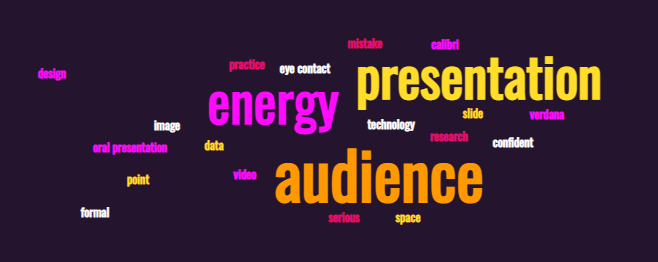
Word cloud created using TagCrowd

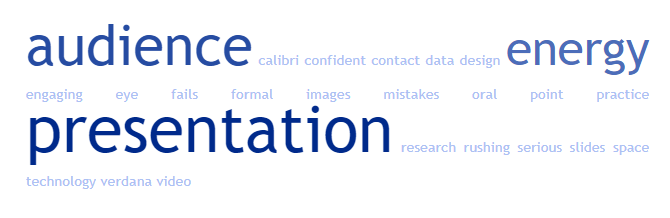
Word Clouds: Some online tools allow you to upload a file to create the word cloud and you can edit or create a list of words and upload list into the online tool. Remember the more times the word appears the bigger that word becomes.

Word cloud created using Monkeylearn.com
Videos on PowerPoint Presentations

The Beginner’s Guide to Microsoft PowerPoint 23.12 Mins

Watch a tutorial on how to use PowerPoint 2016

PowerPoint 2016 Advanced 1hrHr 36mins

This video is very good but very long you can dip in and out of it to look at different things that you can do with PowerPoint.

Oral Presentations Samples 

The presentations below are from students from another programme. These presentations were made to clients regarding a trinket box that they were asked to design so a little bit different to the task you have been given. Use these presentations to help guide you in the layout and style of your presentations. These presentations do not have many slides because the students were talking more about their reasons for the designs, they came up with therefore perhaps spending 2 or 3 minutes on a slide. 

Dan Mc Entegart Presentation.pptm Dan Mc Entegart Presentation.pptm
Size : 3543.491 Kb
Type : pptm